
Hi,
Here's the promised suggestion regarding how we handle versioning problems in reactos. It has some relationship to the tree restructure.
Since some time we now run into issues with our targeted Windows version. This is both wine dlls, as well as applications that refuse to run due to reactos being limited to Windows server 2003 SP2.
I think many of us, me included, see more in ReactOS than an academic research project, or a nice way for 3rd party companies to cheaply get insight into how the Windows kernel works. So we are interested in making it an actually useful operating system. To achieve this goal, it is obviously important to make it run modern Windows applications.
The current approach of pure Windows 2003 Server SP2 compatibility on user mode side is a dead end. Our target OS version is starting to become a fossil. With time more and more applications will simply refuse to work on it. Even wine DLLs start to require Vista APIs and their number will most likely increase.
So what can we do? It is obvious, that we cannot instantaniously switch all user mode to Windows 7/8/10 compatibility, due to the amount of required work, especially regarding missing kernel features.
The wine approach is just adding whatever is needed, creating a Windows version chimera. It has already been discussed here and shown to be a problem, since it can easily fool applications into believing they run on Vista or Windows 7, making them demand all the modern features, which we cannot provide, thus failing to run, while they would run flawlessly, when being provided a pure Windows 2003 environment, restricting itself to this functionality. So this is also not a very good way, either.
So the conclusion is, that we need a mechanism, that allows us to control this, providing individual applications with what they require, while leaving others in a more restricted environment. And at the same time allowing our internal/wine DLLs to make use of higher version functionality.
Suggested approach:
1. We need a method to specify which application should be run in which environment. We should probably use the same mechanism that is used on Windows. Compatibility information is stored in a registry key HKCU\Software\Microsodt\Windows NT\CurrentVersion\AppCompatFlags... The trick is to make this easy / transparent for the user. A right-click -> properties -> compatibility approach should for now probably be the easiest thing, even if it requires the user to actively make this setting. A larger app compatibility database would be nice, but it would be difficult to figure out what application is being run. And it's also a problem to maintain such a list. Potential solutions: detect failures to load due to missing imports and app crashes and invoke a "compatibility assistent" in that case. Detect first-run of a new application and try to identify it, either based on a hash or based on PE version information.
2. We need a way to provide the application transparently with the environment we want to give it. In terms of DLL exports this could be done on the loader side, making it chose the right DLL, potentially adding a suffix to the DLL name or selecting a different folder other than system32. While this will most likely work good in the majority of cases, it is not 100% transparent. Therefore a mechanism in the kernel, using file system redirection, like it already exists on 64 bit Windows for WoW64, seems to be a more promising approach. The file system redirection would redirect system32 into merged folders, containing the version specific DLLs, while everything that is not existing in this folder will be taken from the original system32. Potential naming scheme: system32.601 system32.602, etc.
3. We need a method to create and maintain the required DLLs for different OS versions. Preferably avoiding bloat by sharing common code in common "parent" DLLs. But also allowing to still plug the DLLs into the related Windows version for testing. This can be tricky. I suggest a DLL import forwarding scheme. This is both to avoid bloat, i.e. avoid to compile and deploy all full blown DLLs for all OS versions, as well as creating a better organized system. So each DLL, lets say ADVAPI32, as located in different version specific system32 folders, would mainly/only consist of forwarders to a "parent" DLL. On Windows we can see this being developed similarly, using "api sets" and redirections made by the loader. Cloning this mechanism 1:1 might not be the right thing though, since it does not address all our requirements. So instead I suggest proving our own custom "parent DLLs". While these could be organized the same way as on Windows 2003, this is probably not optimal. Instead I suggest merging stuff together into 1 or few DLLs (similar to how stuff was combined in kernelbase.dll) This might looks like this (note, that the names are just quickly made up names, I don't claim that they are good) - user32/gdi32 -> ros-win32-core.dll - kernel32/advapi32 -> ros-kernel-base.dll - msvcr* -> ros-crt.dll - ntdll -> ros-ntdll (the kernel would need to load this one)
This also allows our DLLs to make use of higher version APIs, by linking them to the parent DLL. Now this obviously introduces a problem when trying to run individual DLLs within a Windows system. To still be able to do this for testing purposes, we need to make sure that they still run there. First, if they import from a custom ros-* DLL, it won't run on Windows without that DLL. So we need the possibility to either statically link these functions, or compile a "helper DLL", that contains these functions, so our DLLs can be run on Windows. If we used a common parent DLL, this also creates the problem of DLL initialization. e.g. the DLL parent for kernel32 and advapi32 would do the initialization for both of these, so this would not be suitable to use when replacing only one of the DLLs. Instead DLL initialization could be done by calling a specific initialization function in the parent DLL from the child DLL. So kernel32!DllMain would call ros-kernel-base!DllMain_kernel32, passing the original parameters as well as a version number, that the parent DLL can use to do version specific initialization. This way The parent DLL would only do the kernel32 initialization, when the related kernel32 child DLL was used, the advapi32 initialization would not be done. There is still a problem: relocation. So we would need to make sure we chose base addresses that still allow us to plug the stuff into Windows without causing everything to relocate, which often simply doesn't work. As an alternative, we should provide a compile time switch to compile specific DLLs in a self-contained way.
In terms of structure we could use the MS api-sets as a base for static libraries. Then we can link these either into the parent DLLs like ros-kernel-base.dll or - when a compile switch is given - to link together fully self contained DLLs.
I am really not interested in answers like "This is not what WIndows does!", "THIS CANNOT WORK!!!", "You are a ***** even suggesting this", "What if application x parses the import table and disassembles the DLL to hook into internal functions, ...":
I am only interested in *constructive* comments. Everything else: -> /dev/null
Thanks, Timo

I agree 100%. A combination of the Shim Engine, MinWin/API Sets and Fusion/SxS would help us achieve these goals while at the same time implementing key missing Windows features we don't yet have.
Best regards, Alex Ionescu
On Sat, Mar 7, 2015 at 4:44 AM, Timo Kreuzer timo.kreuzer@web.de wrote:
Hi,
Here's the promised suggestion regarding how we handle versioning problems in reactos. It has some relationship to the tree restructure.
Since some time we now run into issues with our targeted Windows version. This is both wine dlls, as well as applications that refuse to run due to reactos being limited to Windows server 2003 SP2.
I think many of us, me included, see more in ReactOS than an academic research project, or a nice way for 3rd party companies to cheaply get insight into how the Windows kernel works. So we are interested in making it an actually useful operating system. To achieve this goal, it is obviously important to make it run modern Windows applications.
The current approach of pure Windows 2003 Server SP2 compatibility on user mode side is a dead end. Our target OS version is starting to become a fossil. With time more and more applications will simply refuse to work on it. Even wine DLLs start to require Vista APIs and their number will most likely increase.
So what can we do? It is obvious, that we cannot instantaniously switch all user mode to Windows 7/8/10 compatibility, due to the amount of required work, especially regarding missing kernel features.
The wine approach is just adding whatever is needed, creating a Windows version chimera. It has already been discussed here and shown to be a problem, since it can easily fool applications into believing they run on Vista or Windows 7, making them demand all the modern features, which we cannot provide, thus failing to run, while they would run flawlessly, when being provided a pure Windows 2003 environment, restricting itself to this functionality. So this is also not a very good way, either.
So the conclusion is, that we need a mechanism, that allows us to control this, providing individual applications with what they require, while leaving others in a more restricted environment. And at the same time allowing our internal/wine DLLs to make use of higher version functionality.
Suggested approach:
- We need a method to specify which application should be run in which
environment. We should probably use the same mechanism that is used on Windows. Compatibility information is stored in a registry key HKCU\Software\Microsodt\Windows NT\CurrentVersion\AppCompatFlags... The trick is to make this easy / transparent for the user. A right-click -> properties -> compatibility approach should for now probably be the easiest thing, even if it requires the user to actively make this setting. A larger app compatibility database would be nice, but it would be difficult to figure out what application is being run. And it's also a problem to maintain such a list. Potential solutions: detect failures to load due to missing imports and app crashes and invoke a "compatibility assistent" in that case. Detect first-run of a new application and try to identify it, either based on a hash or based on PE version information.
- We need a way to provide the application transparently with the
environment we want to give it. In terms of DLL exports this could be done on the loader side, making it chose the right DLL, potentially adding a suffix to the DLL name or selecting a different folder other than system32. While this will most likely work good in the majority of cases, it is not 100% transparent. Therefore a mechanism in the kernel, using file system redirection, like it already exists on 64 bit Windows for WoW64, seems to be a more promising approach. The file system redirection would redirect system32 into merged folders, containing the version specific DLLs, while everything that is not existing in this folder will be taken from the original system32. Potential naming scheme: system32.601 system32.602, etc.
- We need a method to create and maintain the required DLLs for different
OS versions. Preferably avoiding bloat by sharing common code in common "parent" DLLs. But also allowing to still plug the DLLs into the related Windows version for testing. This can be tricky. I suggest a DLL import forwarding scheme. This is both to avoid bloat, i.e. avoid to compile and deploy all full blown DLLs for all OS versions, as well as creating a better organized system. So each DLL, lets say ADVAPI32, as located in different version specific system32 folders, would mainly/only consist of forwarders to a "parent" DLL. On Windows we can see this being developed similarly, using "api sets" and redirections made by the loader. Cloning this mechanism 1:1 might not be the right thing though, since it does not address all our requirements. So instead I suggest proving our own custom "parent DLLs". While these could be organized the same way as on Windows 2003, this is probably not optimal. Instead I suggest merging stuff together into 1 or few DLLs (similar to how stuff was combined in kernelbase.dll) This might looks like this (note, that the names are just quickly made up names, I don't claim that they are good)
- user32/gdi32 -> ros-win32-core.dll
- kernel32/advapi32 -> ros-kernel-base.dll
- msvcr* -> ros-crt.dll
- ntdll -> ros-ntdll (the kernel would need to load this one)
This also allows our DLLs to make use of higher version APIs, by linking them to the parent DLL. Now this obviously introduces a problem when trying to run individual DLLs within a Windows system. To still be able to do this for testing purposes, we need to make sure that they still run there. First, if they import from a custom ros-* DLL, it won't run on Windows without that DLL. So we need the possibility to either statically link these functions, or compile a "helper DLL", that contains these functions, so our DLLs can be run on Windows. If we used a common parent DLL, this also creates the problem of DLL initialization. e.g. the DLL parent for kernel32 and advapi32 would do the initialization for both of these, so this would not be suitable to use when replacing only one of the DLLs. Instead DLL initialization could be done by calling a specific initialization function in the parent DLL from the child DLL. So kernel32!DllMain would call ros-kernel-base!DllMain_kernel32, passing the original parameters as well as a version number, that the parent DLL can use to do version specific initialization. This way The parent DLL would only do the kernel32 initialization, when the related kernel32 child DLL was used, the advapi32 initialization would not be done. There is still a problem: relocation. So we would need to make sure we chose base addresses that still allow us to plug the stuff into Windows without causing everything to relocate, which often simply doesn't work. As an alternative, we should provide a compile time switch to compile specific DLLs in a self-contained way.
In terms of structure we could use the MS api-sets as a base for static libraries. Then we can link these either into the parent DLLs like ros-kernel-base.dll or - when a compile switch is given - to link together fully self contained DLLs.
I am really not interested in answers like "This is not what WIndows does!", "THIS CANNOT WORK!!!", "You are a ***** even suggesting this", "What if application x parses the import table and disassembles the DLL to hook into internal functions, ...":
I am only interested in *constructive* comments. Everything else: -> /dev/null
Thanks, Timo
Ros-dev mailing list Ros-dev@reactos.org http://www.reactos.org/mailman/listinfo/ros-dev

I fully second Alex.
Concerning point 1 of Timo’s ideas, I was also thinking about making some kind of wizard in which you say which exe you want to run, and choose in some lists the compatibility features.
Cheers,
Hermès.
De : Ros-dev [mailto:ros-dev-bounces@reactos.org] De la part de Alex Ionescu Envoyé : samedi 7 mars 2015 15:07 À : ReactOS Development List Objet : Re: [ros-dev] ReactOS versioning
I agree 100%. A combination of the Shim Engine, MinWin/API Sets and Fusion/SxS would help us achieve these goals while at the same time implementing key missing Windows features we don't yet have.
Best regards, Alex Ionescu
On Sat, Mar 7, 2015 at 4:44 AM, Timo Kreuzer timo.kreuzer@web.de wrote:
Hi,
Here's the promised suggestion regarding how we handle versioning problems in reactos. It has some relationship to the tree restructure.
Since some time we now run into issues with our targeted Windows version. This is both wine dlls, as well as applications that refuse to run due to reactos being limited to Windows server 2003 SP2.
I think many of us, me included, see more in ReactOS than an academic research project, or a nice way for 3rd party companies to cheaply get insight into how the Windows kernel works. So we are interested in making it an actually useful operating system. To achieve this goal, it is obviously important to make it run modern Windows applications.
The current approach of pure Windows 2003 Server SP2 compatibility on user mode side is a dead end. Our target OS version is starting to become a fossil. With time more and more applications will simply refuse to work on it. Even wine DLLs start to require Vista APIs and their number will most likely increase.
So what can we do? It is obvious, that we cannot instantaniously switch all user mode to Windows 7/8/10 compatibility, due to the amount of required work, especially regarding missing kernel features.
The wine approach is just adding whatever is needed, creating a Windows version chimera. It has already been discussed here and shown to be a problem, since it can easily fool applications into believing they run on Vista or Windows 7, making them demand all the modern features, which we cannot provide, thus failing to run, while they would run flawlessly, when being provided a pure Windows 2003 environment, restricting itself to this functionality. So this is also not a very good way, either.
So the conclusion is, that we need a mechanism, that allows us to control this, providing individual applications with what they require, while leaving others in a more restricted environment. And at the same time allowing our internal/wine DLLs to make use of higher version functionality.
Suggested approach:
1. We need a method to specify which application should be run in which environment. We should probably use the same mechanism that is used on Windows. Compatibility information is stored in a registry key HKCU\Software\Microsodt\Windows NT\CurrentVersion\AppCompatFlags... The trick is to make this easy / transparent for the user. A right-click -> properties -> compatibility approach should for now probably be the easiest thing, even if it requires the user to actively make this setting. A larger app compatibility database would be nice, but it would be difficult to figure out what application is being run. And it's also a problem to maintain such a list. Potential solutions: detect failures to load due to missing imports and app crashes and invoke a "compatibility assistent" in that case. Detect first-run of a new application and try to identify it, either based on a hash or based on PE version information.
2. We need a way to provide the application transparently with the environment we want to give it. In terms of DLL exports this could be done on the loader side, making it chose the right DLL, potentially adding a suffix to the DLL name or selecting a different folder other than system32. While this will most likely work good in the majority of cases, it is not 100% transparent. Therefore a mechanism in the kernel, using file system redirection, like it already exists on 64 bit Windows for WoW64, seems to be a more promising approach. The file system redirection would redirect system32 into merged folders, containing the version specific DLLs, while everything that is not existing in this folder will be taken from the original system32. Potential naming scheme: system32.601 system32.602, etc.
3. We need a method to create and maintain the required DLLs for different OS versions. Preferably avoiding bloat by sharing common code in common "parent" DLLs. But also allowing to still plug the DLLs into the related Windows version for testing. This can be tricky. I suggest a DLL import forwarding scheme. This is both to avoid bloat, i.e. avoid to compile and deploy all full blown DLLs for all OS versions, as well as creating a better organized system. So each DLL, lets say ADVAPI32, as located in different version specific system32 folders, would mainly/only consist of forwarders to a "parent" DLL. On Windows we can see this being developed similarly, using "api sets" and redirections made by the loader. Cloning this mechanism 1:1 might not be the right thing though, since it does not address all our requirements. So instead I suggest proving our own custom "parent DLLs". While these could be organized the same way as on Windows 2003, this is probably not optimal. Instead I suggest merging stuff together into 1 or few DLLs (similar to how stuff was combined in kernelbase.dll) This might looks like this (note, that the names are just quickly made up names, I don't claim that they are good) - user32/gdi32 -> ros-win32-core.dll - kernel32/advapi32 -> ros-kernel-base.dll - msvcr* -> ros-crt.dll - ntdll -> ros-ntdll (the kernel would need to load this one)
This also allows our DLLs to make use of higher version APIs, by linking them to the parent DLL. Now this obviously introduces a problem when trying to run individual DLLs within a Windows system. To still be able to do this for testing purposes, we need to make sure that they still run there. First, if they import from a custom ros-* DLL, it won't run on Windows without that DLL. So we need the possibility to either statically link these functions, or compile a "helper DLL", that contains these functions, so our DLLs can be run on Windows. If we used a common parent DLL, this also creates the problem of DLL initialization. e.g. the DLL parent for kernel32 and advapi32 would do the initialization for both of these, so this would not be suitable to use when replacing only one of the DLLs. Instead DLL initialization could be done by calling a specific initialization function in the parent DLL from the child DLL. So kernel32!DllMain would call ros-kernel-base!DllMain_kernel32, passing the original parameters as well as a version number, that the parent DLL can use to do version specific initialization. This way The parent DLL would only do the kernel32 initialization, when the related kernel32 child DLL was used, the advapi32 initialization would not be done. There is still a problem: relocation. So we would need to make sure we chose base addresses that still allow us to plug the stuff into Windows without causing everything to relocate, which often simply doesn't work. As an alternative, we should provide a compile time switch to compile specific DLLs in a self-contained way.
In terms of structure we could use the MS api-sets as a base for static libraries. Then we can link these either into the parent DLLs like ros-kernel-base.dll or - when a compile switch is given - to link together fully self contained DLLs.
I am really not interested in answers like "This is not what WIndows does!", "THIS CANNOT WORK!!!", "You are a ***** even suggesting this", "What if application x parses the import table and disassembles the DLL to hook into internal functions, ...":
I am only interested in *constructive* comments. Everything else: -> /dev/null
Thanks, Timo
_______________________________________________ Ros-dev mailing list Ros-dev@reactos.org http://www.reactos.org/mailman/listinfo/ros-dev


Hi,
There's one point I don't see any reference to: you keep talking about DLLs & such. How would you handle API in these DLLs that require system calls from kernel? Does that mean our kernel has to evolve to something higher than 5.2?
Another (minor) point: you talk about parent DLLs that would host most of the code, with other DLLs that would have the rest of the API missing (as it would be done for kernel32 nowadays). How do you handle APIs that would have slightly changed behavior between two Windows releases? Duplicate code? Ignore previous behavior? That can also be seen: how do you handle API that get extended over the time, supporting more and more flags? One who can do the most, can do less?
Cheers,
On 07/03/2015 13:44, Timo Kreuzer wrote:
Hi,
Here's the promised suggestion regarding how we handle versioning problems in reactos. It has some relationship to the tree restructure.
Since some time we now run into issues with our targeted Windows version. This is both wine dlls, as well as applications that refuse to run due to reactos being limited to Windows server 2003 SP2.
I think many of us, me included, see more in ReactOS than an academic research project, or a nice way for 3rd party companies to cheaply get insight into how the Windows kernel works. So we are interested in making it an actually useful operating system. To achieve this goal, it is obviously important to make it run modern Windows applications.
The current approach of pure Windows 2003 Server SP2 compatibility on user mode side is a dead end. Our target OS version is starting to become a fossil. With time more and more applications will simply refuse to work on it. Even wine DLLs start to require Vista APIs and their number will most likely increase.
So what can we do? It is obvious, that we cannot instantaniously switch all user mode to Windows 7/8/10 compatibility, due to the amount of required work, especially regarding missing kernel features.
The wine approach is just adding whatever is needed, creating a Windows version chimera. It has already been discussed here and shown to be a problem, since it can easily fool applications into believing they run on Vista or Windows 7, making them demand all the modern features, which we cannot provide, thus failing to run, while they would run flawlessly, when being provided a pure Windows 2003 environment, restricting itself to this functionality. So this is also not a very good way, either.
So the conclusion is, that we need a mechanism, that allows us to control this, providing individual applications with what they require, while leaving others in a more restricted environment. And at the same time allowing our internal/wine DLLs to make use of higher version functionality.
Suggested approach:
- We need a method to specify which application should be run in which
environment. We should probably use the same mechanism that is used on Windows. Compatibility information is stored in a registry key HKCU\Software\Microsodt\Windows NT\CurrentVersion\AppCompatFlags... The trick is to make this easy / transparent for the user. A right-click -> properties -> compatibility approach should for now probably be the easiest thing, even if it requires the user to actively make this setting. A larger app compatibility database would be nice, but it would be difficult to figure out what application is being run. And it's also a problem to maintain such a list. Potential solutions: detect failures to load due to missing imports and app crashes and invoke a "compatibility assistent" in that case. Detect first-run of a new application and try to identify it, either based on a hash or based on PE version information.
- We need a way to provide the application transparently with the
environment we want to give it. In terms of DLL exports this could be done on the loader side, making it chose the right DLL, potentially adding a suffix to the DLL name or selecting a different folder other than system32. While this will most likely work good in the majority of cases, it is not 100% transparent. Therefore a mechanism in the kernel, using file system redirection, like it already exists on 64 bit Windows for WoW64, seems to be a more promising approach. The file system redirection would redirect system32 into merged folders, containing the version specific DLLs, while everything that is not existing in this folder will be taken from the original system32. Potential naming scheme: system32.601 system32.602, etc.
- We need a method to create and maintain the required DLLs for
different OS versions. Preferably avoiding bloat by sharing common code in common "parent" DLLs. But also allowing to still plug the DLLs into the related Windows version for testing. This can be tricky. I suggest a DLL import forwarding scheme. This is both to avoid bloat, i.e. avoid to compile and deploy all full blown DLLs for all OS versions, as well as creating a better organized system. So each DLL, lets say ADVAPI32, as located in different version specific system32 folders, would mainly/only consist of forwarders to a "parent" DLL. On Windows we can see this being developed similarly, using "api sets" and redirections made by the loader. Cloning this mechanism 1:1 might not be the right thing though, since it does not address all our requirements. So instead I suggest proving our own custom "parent DLLs". While these could be organized the same way as on Windows 2003, this is probably not optimal. Instead I suggest merging stuff together into 1 or few DLLs (similar to how stuff was combined in kernelbase.dll) This might looks like this (note, that the names are just quickly made up names, I don't claim that they are good)
- user32/gdi32 -> ros-win32-core.dll
- kernel32/advapi32 -> ros-kernel-base.dll
- msvcr* -> ros-crt.dll
- ntdll -> ros-ntdll (the kernel would need to load this one)
This also allows our DLLs to make use of higher version APIs, by linking them to the parent DLL. Now this obviously introduces a problem when trying to run individual DLLs within a Windows system. To still be able to do this for testing purposes, we need to make sure that they still run there. First, if they import from a custom ros-* DLL, it won't run on Windows without that DLL. So we need the possibility to either statically link these functions, or compile a "helper DLL", that contains these functions, so our DLLs can be run on Windows. If we used a common parent DLL, this also creates the problem of DLL initialization. e.g. the DLL parent for kernel32 and advapi32 would do the initialization for both of these, so this would not be suitable to use when replacing only one of the DLLs. Instead DLL initialization could be done by calling a specific initialization function in the parent DLL from the child DLL. So kernel32!DllMain would call ros-kernel-base!DllMain_kernel32, passing the original parameters as well as a version number, that the parent DLL can use to do version specific initialization. This way The parent DLL would only do the kernel32 initialization, when the related kernel32 child DLL was used, the advapi32 initialization would not be done. There is still a problem: relocation. So we would need to make sure we chose base addresses that still allow us to plug the stuff into Windows without causing everything to relocate, which often simply doesn't work. As an alternative, we should provide a compile time switch to compile specific DLLs in a self-contained way.
In terms of structure we could use the MS api-sets as a base for static libraries. Then we can link these either into the parent DLLs like ros-kernel-base.dll or - when a compile switch is given - to link together fully self contained DLLs.
I am really not interested in answers like "This is not what WIndows does!", "THIS CANNOT WORK!!!", "You are a ***** even suggesting this", "What if application x parses the import table and disassembles the DLL to hook into internal functions, ...":
I am only interested in *constructive* comments. Everything else: -> /dev/null
Thanks, Timo
Ros-dev mailing list Ros-dev@reactos.org http://www.reactos.org/mailman/listinfo/ros-dev

Looking at the activity of this ML, one could think ros developers are done hibernating for this year :-)
Le 07/03/2015 16:44, Pierre Schweitzer a écrit :
Hi,
There's one point I don't see any reference to: you keep talking about DLLs & such. How would you handle API in these DLLs that require system calls from kernel? Does that mean our kernel has to evolve to something higher than 5.2?
Eh, why not ? Advertise 5.2 to the drivers, but implement more syscalls than the real 5.2 version. That would be the step by step approach for road to 6.0. Another way would be to use external drivers (nt60.sys ?) with IOCTLs. That would be a bit heavier, that would allow us to use the whole solution on any windows version.
Another (minor) point: you talk about parent DLLs that would host most of the code, with other DLLs that would have the rest of the API missing (as it would be done for kernel32 nowadays). How do you handle APIs that would have slightly changed behavior between two Windows releases? Duplicate code? Ignore previous behavior? That can also be seen: how do you handle API that get extended over the time, supporting more and more flags? One who can do the most, can do less?
Take a look at how wine implements msvcr*.dll, I believe that would be the way to go.
Cheers,
On 07/03/2015 13:44, Timo Kreuzer wrote:
Hi,
Here's the promised suggestion regarding how we handle versioning problems in reactos. It has some relationship to the tree restructure.
Since some time we now run into issues with our targeted Windows version. This is both wine dlls, as well as applications that refuse to run due to reactos being limited to Windows server 2003 SP2.
I think many of us, me included, see more in ReactOS than an academic research project, or a nice way for 3rd party companies to cheaply get insight into how the Windows kernel works. So we are interested in making it an actually useful operating system. To achieve this goal, it is obviously important to make it run modern Windows applications.
The current approach of pure Windows 2003 Server SP2 compatibility on user mode side is a dead end. Our target OS version is starting to become a fossil. With time more and more applications will simply refuse to work on it. Even wine DLLs start to require Vista APIs and their number will most likely increase.
So what can we do? It is obvious, that we cannot instantaniously switch all user mode to Windows 7/8/10 compatibility, due to the amount of required work, especially regarding missing kernel features.
The wine approach is just adding whatever is needed, creating a Windows version chimera. It has already been discussed here and shown to be a problem, since it can easily fool applications into believing they run on Vista or Windows 7, making them demand all the modern features, which we cannot provide, thus failing to run, while they would run flawlessly, when being provided a pure Windows 2003 environment, restricting itself to this functionality. So this is also not a very good way, either.
So the conclusion is, that we need a mechanism, that allows us to control this, providing individual applications with what they require, while leaving others in a more restricted environment. And at the same time allowing our internal/wine DLLs to make use of higher version functionality.
Suggested approach:
- We need a method to specify which application should be run in which
environment. We should probably use the same mechanism that is used on Windows. Compatibility information is stored in a registry key HKCU\Software\Microsodt\Windows NT\CurrentVersion\AppCompatFlags... The trick is to make this easy / transparent for the user. A right-click -> properties -> compatibility approach should for now probably be the easiest thing, even if it requires the user to actively make this setting. A larger app compatibility database would be nice, but it would be difficult to figure out what application is being run. And it's also a problem to maintain such a list. Potential solutions: detect failures to load due to missing imports and app crashes and invoke a "compatibility assistent" in that case. Detect first-run of a new application and try to identify it, either based on a hash or based on PE version information.
- We need a way to provide the application transparently with the
environment we want to give it. In terms of DLL exports this could be done on the loader side, making it chose the right DLL, potentially adding a suffix to the DLL name or selecting a different folder other than system32. While this will most likely work good in the majority of cases, it is not 100% transparent. Therefore a mechanism in the kernel, using file system redirection, like it already exists on 64 bit Windows for WoW64, seems to be a more promising approach. The file system redirection would redirect system32 into merged folders, containing the version specific DLLs, while everything that is not existing in this folder will be taken from the original system32. Potential naming scheme: system32.601 system32.602, etc.
- We need a method to create and maintain the required DLLs for
different OS versions. Preferably avoiding bloat by sharing common code in common "parent" DLLs. But also allowing to still plug the DLLs into the related Windows version for testing. This can be tricky. I suggest a DLL import forwarding scheme. This is both to avoid bloat, i.e. avoid to compile and deploy all full blown DLLs for all OS versions, as well as creating a better organized system. So each DLL, lets say ADVAPI32, as located in different version specific system32 folders, would mainly/only consist of forwarders to a "parent" DLL. On Windows we can see this being developed similarly, using "api sets" and redirections made by the loader. Cloning this mechanism 1:1 might not be the right thing though, since it does not address all our requirements. So instead I suggest proving our own custom "parent DLLs". While these could be organized the same way as on Windows 2003, this is probably not optimal. Instead I suggest merging stuff together into 1 or few DLLs (similar to how stuff was combined in kernelbase.dll) This might looks like this (note, that the names are just quickly made up names, I don't claim that they are good)
- user32/gdi32 -> ros-win32-core.dll
- kernel32/advapi32 -> ros-kernel-base.dll
- msvcr* -> ros-crt.dll
- ntdll -> ros-ntdll (the kernel would need to load this one)
This also allows our DLLs to make use of higher version APIs, by linking them to the parent DLL. Now this obviously introduces a problem when trying to run individual DLLs within a Windows system. To still be able to do this for testing purposes, we need to make sure that they still run there. First, if they import from a custom ros-* DLL, it won't run on Windows without that DLL. So we need the possibility to either statically link these functions, or compile a "helper DLL", that contains these functions, so our DLLs can be run on Windows. If we used a common parent DLL, this also creates the problem of DLL initialization. e.g. the DLL parent for kernel32 and advapi32 would do the initialization for both of these, so this would not be suitable to use when replacing only one of the DLLs. Instead DLL initialization could be done by calling a specific initialization function in the parent DLL from the child DLL. So kernel32!DllMain would call ros-kernel-base!DllMain_kernel32, passing the original parameters as well as a version number, that the parent DLL can use to do version specific initialization. This way The parent DLL would only do the kernel32 initialization, when the related kernel32 child DLL was used, the advapi32 initialization would not be done. There is still a problem: relocation. So we would need to make sure we chose base addresses that still allow us to plug the stuff into Windows without causing everything to relocate, which often simply doesn't work. As an alternative, we should provide a compile time switch to compile specific DLLs in a self-contained way.
In terms of structure we could use the MS api-sets as a base for static libraries. Then we can link these either into the parent DLLs like ros-kernel-base.dll or - when a compile switch is given - to link together fully self contained DLLs.
I am really not interested in answers like "This is not what WIndows does!", "THIS CANNOT WORK!!!", "You are a ***** even suggesting this", "What if application x parses the import table and disassembles the DLL to hook into internal functions, ...":
I am only interested in *constructive* comments. Everything else: -> /dev/null
Thanks, Timo
Ros-dev mailing list Ros-dev@reactos.org http://www.reactos.org/mailman/listinfo/ros-dev
Ros-dev mailing list Ros-dev@reactos.org http://www.reactos.org/mailman/listinfo/ros-dev
Am 07.03.2015 um 16:44 schrieb Pierre Schweitzer:
Hi,
There's one point I don't see any reference to: you keep talking about DLLs & such. How would you handle API in these DLLs that require system calls from kernel? Does that mean our kernel has to evolve to something higher than 5.2?
At some point we will probably need to do that. But a lot of the APIs can be - possibly in faked manner - written in usermode. But I don't see a major issue in adding system calls as we need them, just not exposed though the win 2003 ntdll, so a "normal" application wouldn't see them. I would also not care for their system call numbers atm, since that does really not matter so much. Just put them at the end and good. Alternatively we could even "simulate" these with a kernel extension driver that we invoke using ioctls, but I'm not sure if that provides any benefit. I guess every feature that we want to add will require individual estimation what the best approach is. The major point is that we have a way to hide these things from user mode applications as transparently as possible.
Another (minor) point: you talk about parent DLLs that would host most of the code, with other DLLs that would have the rest of the API missing (as it would be done for kernel32 nowadays). How do you handle APIs that would have slightly changed behavior between two Windows releases? Duplicate code? Ignore previous behavior? That can also be seen: how do you handle API that get extended over the time, supporting more and more flags? One who can do the most, can do less?
In that case I see 3 possible approaches: a) implement a wrapper / reimplement the changed behaviour in that DLL, or b) Have the parent DLL expose a "versioned" export, that will handle the different behaviour, or c) Initialize the parent DLL with a version number stored in a global variable and handle the different things depending on that version number. I think all of these have their pros and cons and we might even decide to use a mixture of these. When it comes to differences in kernel-behaviour, we could probably check the PEB or the OS version and handle these things based on that.
Timo

I suppose if the API "changes" (and it means, it improves, and usually without breaking backward compatibility), then there is no reason to provide old, broken or incomplete implementation. I doubt there is any popular app which relies on some bugs in old API implementation which can justify that.
Regards, Aleksey Bragin
On 07.03.2015 18:44, Pierre Schweitzer wrote:
(as it would be done for kernel32 nowadays). How do you handle APIs that would have slightly changed behavior between two Windows releases? Duplicate code? Ignore previous behavior? That can also be seen: how do you handle API that get extended over the time, supporting more and more flags? One who can do the most, can do less?

Am 09.03.2015 um 09:59 schrieb Aleksey Bragin:
I suppose if the API "changes" (and it means, it improves, and usually without breaking backward compatibility), then there is no reason to provide old, broken or incomplete implementation. I doubt there is any popular app which relies on some bugs in old API implementation which can justify that.
My favourite for subtle changes inside Win32: SetTimer :) MSDN has removed many of the details now, so I quote from the old version of the page:
=================================================================== uElapse [in] Specifies the time-out value, in milliseconds. Windows NT/2000/XP: If uElapse is greater than USER_TIMER_MAXIMUM, the timeout is set to 1.
Windows 2000/XP: If uElapse is less than USER_TIMER_MINIMUM, the timeout is set to USER_TIMER_MINIMUM.
Windows Server 2003: If uElapse is greater than USER_TIMER_MAXIMUM, the timeout is set to USER_TIMER_MAXIMUM.
Windows XP SP2/Windows Server 2003 SP1: If uElapse is less than USER_TIMER_MINIMUM, the timeout is set to USER_TIMER_MINIMUM. If uElapse is greater than USER_TIMER_MAXIMUM, the timeout is set to USER_TIMER_MAXIMUM. ===================================================================
Reference e.g. http://www.jliforum.de/board/viewtopic.php?p=61375#61375
This has broken at least our third-party imported Matrix screensaver (see fix in r28955). Due to the widespread usage of the SetTimer API, there are probably more examples. Of course, given that we're targetting Windows Server 2003 SP1 or newer, the behaviour for us is clear. But if such changes occur in recent Windows versions as well, I believe we need different implementations of an API for each Windows version we try to emulate.
Maybe someone can give an example of such a change in more recent Windows versions as well.
Cheers,
Colin

A thought occurs to me. Is there a way to add descriptors to DLL functions? It would be a neat way to handle having multiple versions. In Python you can tag functions like @TargetVersionWindowsXP. If you could transparently hide and rename symbols in the DLL's kernel-side on load time, then you could have all the functions in the same file without losing sanity points.
2015-03-09 11:27 GMT+01:00 Colin Finck colin@reactos.org:
Am 09.03.2015 um 09:59 schrieb Aleksey Bragin:
I suppose if the API "changes" (and it means, it improves, and usually without breaking backward compatibility), then there is no reason to provide old, broken or incomplete implementation. I doubt there is any popular app which relies on some bugs in old API implementation which can justify that.
My favourite for subtle changes inside Win32: SetTimer :) MSDN has removed many of the details now, so I quote from the old version of the page:
=================================================================== uElapse [in] Specifies the time-out value, in milliseconds. Windows NT/2000/XP: If uElapse is greater than USER_TIMER_MAXIMUM, the timeout is set to 1.
Windows 2000/XP: If uElapse is less than USER_TIMER_MINIMUM, the timeout is set to USER_TIMER_MINIMUM.
Windows Server 2003: If uElapse is greater than USER_TIMER_MAXIMUM, the timeout is set to USER_TIMER_MAXIMUM.
Windows XP SP2/Windows Server 2003 SP1: If uElapse is less than USER_TIMER_MINIMUM, the timeout is set to USER_TIMER_MINIMUM. If uElapse is greater than USER_TIMER_MAXIMUM, the timeout is set to USER_TIMER_MAXIMUM. ===================================================================
Reference e.g. http://www.jliforum.de/board/viewtopic.php?p=61375#61375
This has broken at least our third-party imported Matrix screensaver (see fix in r28955). Due to the widespread usage of the SetTimer API, there are probably more examples. Of course, given that we're targetting Windows Server 2003 SP1 or newer, the behaviour for us is clear. But if such changes occur in recent Windows versions as well, I believe we need different implementations of an API for each Windows version we try to emulate.
Maybe someone can give an example of such a change in more recent Windows versions as well.
Cheers,
Colin
Ros-dev mailing list Ros-dev@reactos.org http://www.reactos.org/mailman/listinfo/ros-dev
Colin, as you can imagine, that SetTimer stuff broke Windows apps on Windows too.
And that's where the Shim Database comes in
Best regards, Alex Ionescu
On Mon, Mar 9, 2015 at 10:46 AM, Magnus Johnsson magnusjjj@gmail.com wrote:
A thought occurs to me. Is there a way to add descriptors to DLL functions? It would be a neat way to handle having multiple versions. In Python you can tag functions like @TargetVersionWindowsXP. If you could transparently hide and rename symbols in the DLL's kernel-side on load time, then you could have all the functions in the same file without losing sanity points.
2015-03-09 11:27 GMT+01:00 Colin Finck colin@reactos.org:
Am 09.03.2015 um 09:59 schrieb Aleksey Bragin:
I suppose if the API "changes" (and it means, it improves, and usually without breaking backward compatibility), then there is no reason to provide old, broken or incomplete implementation. I doubt there is any popular app which relies on some bugs in old API implementation which can justify that.
My favourite for subtle changes inside Win32: SetTimer :) MSDN has removed many of the details now, so I quote from the old version of the page:
=================================================================== uElapse [in] Specifies the time-out value, in milliseconds. Windows NT/2000/XP: If uElapse is greater than USER_TIMER_MAXIMUM, the timeout is set to 1.
Windows 2000/XP: If uElapse is less than USER_TIMER_MINIMUM, the timeout is set to USER_TIMER_MINIMUM.
Windows Server 2003: If uElapse is greater than USER_TIMER_MAXIMUM, the timeout is set to USER_TIMER_MAXIMUM.
Windows XP SP2/Windows Server 2003 SP1: If uElapse is less than USER_TIMER_MINIMUM, the timeout is set to USER_TIMER_MINIMUM. If uElapse is greater than USER_TIMER_MAXIMUM, the timeout is set to USER_TIMER_MAXIMUM. ===================================================================
Reference e.g. http://www.jliforum.de/board/viewtopic.php?p=61375#61375
This has broken at least our third-party imported Matrix screensaver (see fix in r28955). Due to the widespread usage of the SetTimer API, there are probably more examples. Of course, given that we're targetting Windows Server 2003 SP1 or newer, the behaviour for us is clear. But if such changes occur in recent Windows versions as well, I believe we need different implementations of an API for each Windows version we try to emulate.
Maybe someone can give an example of such a change in more recent Windows versions as well.
Cheers,
Colin
Ros-dev mailing list Ros-dev@reactos.org http://www.reactos.org/mailman/listinfo/ros-dev
Ros-dev mailing list Ros-dev@reactos.org http://www.reactos.org/mailman/listinfo/ros-dev
We neither need to write multiple implementatiins of the same thing, nor do we need to use magic python stuff. There is feature built into C and C++, that allows to do this in a pretty neat way: It's called "global variable". ;-) Additionally Windows has the PEB, which already contains the Version number.
DllMain() { g_VersionNumber = Peb->OSMajorVersion << 24 | Peb->OSMinorVersion << 16 | Peb->OSBuildNumber; }
SetTimer() { if (g_VersionNumber >= NTDDI_WINXPSP2) foo() else bar(); }
Am 09.03.2015 um 11:46 schrieb Magnus Johnsson:
A thought occurs to me. Is there a way to add descriptors to DLL functions? It would be a neat way to handle having multiple versions. In Python you can tag functions like @TargetVersionWindowsXP. If you could transparently hide and rename symbols in the DLL's kernel-side on load time, then you could have all the functions in the same file without losing sanity points.
2015-03-09 11:27 GMT+01:00 Colin Finck <colin@reactos.org mailto:colin@reactos.org>:
Am 09.03.2015 um 09:59 schrieb Aleksey Bragin:
> I suppose if the API "changes" (and it means, it improves, and usually
> without breaking backward compatibility), then there is no reason to
> provide old, broken or incomplete implementation. I doubt there
is any
> popular app which relies on some bugs in old API implementation
which
> can justify that.

My favourite for subtle changes inside Win32: SetTimer :)
MSDN has removed many of the details now, so I quote from the old
version of the page:

===================================================================
uElapse
[in] Specifies the time-out value, in milliseconds.
Windows NT/2000/XP: If uElapse is greater than USER_TIMER_MAXIMUM, the
timeout is set to 1.

Windows 2000/XP: If uElapse is less than USER_TIMER_MINIMUM, the
timeout
is set to USER_TIMER_MINIMUM.

Windows Server 2003: If uElapse is greater than
USER_TIMER_MAXIMUM, the
timeout is set to USER_TIMER_MAXIMUM.

Windows XP SP2/Windows Server 2003 SP1: If uElapse is less than
USER_TIMER_MINIMUM, the timeout is set to USER_TIMER_MINIMUM. If
uElapse
is greater than USER_TIMER_MAXIMUM, the timeout is set to
USER_TIMER_MAXIMUM.
===================================================================

Reference e.g.
http://www.jliforum.de/board/viewtopic.php?p=61375#61375


This has broken at least our third-party imported Matrix screensaver
(see fix in r28955). Due to the widespread usage of the SetTimer API,
there are probably more examples.
Of course, given that we're targetting Windows Server 2003 SP1 or
newer,
the behaviour for us is clear. But if such changes occur in recent
Windows versions as well, I believe we need different
implementations of
an API for each Windows version we try to emulate.

Maybe someone can give an example of such a change in more recent
Windows versions as well.


Cheers,

Colin


_______________________________________________
Ros-dev mailing list
Ros-dev@reactos.org <mailto:Ros-dev@reactos.org>
http://www.reactos.org/mailman/listinfo/ros-dev
Ros-dev mailing list Ros-dev@reactos.org http://www.reactos.org/mailman/listinfo/ros-dev
Am 07.03.2015 um 13:44 schrieb Timo Kreuzer:
The file system redirection would redirect system32 into merged folders, containing the version specific DLLs, while everything that is not existing in this folder will be taken from the original system32. Potential naming scheme: system32.601 system32.602, etc.
Isn't that the same problem WinSxS tries to solve? Do we really need to introduce another folder scheme for multiple DLL versions here?
Okay, SxS manages one DLL per folder while your idea is to have folders with multiple DLLs of the same version. But if we do file system redirection anyway, this should be solvable. Or am I missing something here?
We need full SxS support anyway, so why not make use of it for this task as well?
Cheers,
Colin
Am 07.03.2015 um 20:04 schrieb Colin Finck:
Am 07.03.2015 um 13:44 schrieb Timo Kreuzer:
The file system redirection would redirect system32 into merged folders, containing the version specific DLLs, while everything that is not existing in this folder will be taken from the original system32. Potential naming scheme: system32.601 system32.602, etc.
Isn't that the same problem WinSxS tries to solve? Do we really need to introduce another folder scheme for multiple DLL versions here?
AFAIK SxS only works with manifests, not with registry configuration (correct me if I'm wrong), so we'd probably need a modified solution here anyway. And have you ever had a look into your Windows/winsxs folder? DLL hell 2.0! My winsxs folder on Win7 contains > 14.000 subfolders. (ok, one might take that as an argument, that another few hundred or thousand wouldn't hurt so much ;-))
Okay, SxS manages one DLL per folder while your idea is to have folders with multiple DLLs of the same version. But if we do file system redirection anyway, this should be solvable. Or am I missing something here?
I don't see the relationship between FS redirection and SxS. If we do the former, we don't need the latter. In fact FS redirection wouldn't work very well in an environment, where each DLL lives in it's own folder.
We need full SxS support anyway, so why not make use of it for this task as well?
I just think that a wow64 like FS redirection might be the cleanest and easiest approach. We are not going to handle all kinds of different DLL versions in all kinds of mixes, just a relatively small set of major OS versions. And each of them with a pretty consistent set of DLLs. But that doesn't mean that I would rule out sxs. If we can easily provide an sxs solution, that doesn't result in a huge mess, we can go that way.
Timo
Le 07/03/2015 22:21, Timo Kreuzer a écrit :
Am 07.03.2015 um 20:04 schrieb Colin Finck:
Am 07.03.2015 um 13:44 schrieb Timo Kreuzer:
The file system redirection would redirect system32 into merged folders, containing the version specific DLLs, while everything that is not existing in this folder will be taken from the original system32. Potential naming scheme: system32.601 system32.602, etc.
Isn't that the same problem WinSxS tries to solve? Do we really need to introduce another folder scheme for multiple DLL versions here?
AFAIK SxS only works with manifests, not with registry configuration (correct me if I'm wrong), so we'd probably need a modified solution here anyway. And have you ever had a look into your Windows/winsxs folder? DLL hell 2.0! My winsxs folder on Win7 contains > 14.000 subfolders. (ok, one might take that as an argument, that another few hundred or thousand wouldn't hurt so much ;-))
You're not wrong, but we could store the manifest into the registry. With a nice config tool, that would be completely transparent to the user.
Okay, SxS manages one DLL per folder while your idea is to have folders with multiple DLLs of the same version. But if we do file system redirection anyway, this should be solvable. Or am I missing something here?
I don't see the relationship between FS redirection and SxS. If we do the former, we don't need the latter. In fact FS redirection wouldn't work very well in an environment, where each DLL lives in it's own folder.
We need full SxS support anyway, so why not make use of it for this task as well?
I just think that a wow64 like FS redirection might be the cleanest and easiest approach. We are not going to handle all kinds of different DLL versions in all kinds of mixes, just a relatively small set of major OS versions. And each of them with a pretty consistent set of DLLs. But that doesn't mean that I would rule out sxs. If we can easily provide an sxs solution, that doesn't result in a huge mess, we can go that way.
Timo
Ros-dev mailing list Ros-dev@reactos.org http://www.reactos.org/mailman/listinfo/ros-dev

Hmm I may be completely mistaken but doesn''t Windows use the ActCtx stuff for compatibility profiles? Wouldn't we be able to use "forward-compatibility" profiles? If that's right, it may be the cleanest system for it.
On 7 March 2015 at 22:38, Jerome Gardou jerome.gardou@reactos.org wrote:
Le 07/03/2015 22:21, Timo Kreuzer a écrit :
Am 07.03.2015 um 20:04 schrieb Colin Finck:
Am 07.03.2015 um 13:44 schrieb Timo Kreuzer:
The file system redirection would redirect system32 into merged folders, containing the version specific DLLs, while everything that is not existing in this folder will be taken from the original system32. Potential naming scheme: system32.601 system32.602, etc.
Isn't that the same problem WinSxS tries to solve? Do we really need to introduce another folder scheme for multiple DLL versions here?
AFAIK SxS only works with manifests, not with registry configuration (correct me if I'm wrong), so we'd probably need a modified solution here anyway. And have you ever had a look into your Windows/winsxs folder? DLL hell 2.0! My winsxs folder on Win7 contains > 14.000 subfolders. (ok, one might take that as an argument, that another few hundred or thousand wouldn't hurt so much ;-))
You're not wrong, but we could store the manifest into the registry. With a nice config tool, that would be completely transparent to the user.
Okay, SxS manages one DLL per folder while your idea is to have folders with multiple DLLs of the same version. But if we do file system redirection anyway, this should be solvable. Or am I missing something here?
I don't see the relationship between FS redirection and SxS. If we do the former, we don't need the latter. In fact FS redirection wouldn't work very well in an environment, where each DLL lives in it's own folder.
We need full SxS support anyway, so why not make use of it for this task as well?
I just think that a wow64 like FS redirection might be the cleanest and easiest approach. We are not going to handle all kinds of different DLL versions in all kinds of mixes, just a relatively small set of major OS versions. And each of them with a pretty consistent set of DLLs. But that doesn't mean that I would rule out sxs. If we can easily provide an sxs solution, that doesn't result in a huge mess, we can go that way.
Timo
Ros-dev mailing listRos-dev@reactos.orghttp://www.reactos.org/mailman/listinfo/ros-dev
Ros-dev mailing list Ros-dev@reactos.org http://www.reactos.org/mailman/listinfo/ros-dev
ActCtx or "Fusion" is part of WinSxS yes, and activation contexts can be built from manifest files, registry, app compat, so we don't have to necessarily use the "Winxs" part which is manifest-only, but rather leverage the actual "Fusion" backend.
FYI, a lot of people don't know this, but those 14000 folders/files in WinSxS are actually sym (or hard?) links. Explorer shows you that the folder is xx GB but in fact it's tiny -- most of those DLLs are symlinks to the real ones in system32.
Best regards, Alex Ionescu
On Sat, Mar 7, 2015 at 9:51 PM, David Quintana (gigaherz) < gigaherz@gmail.com> wrote:
Hmm I may be completely mistaken but doesn''t Windows use the ActCtx stuff for compatibility profiles? Wouldn't we be able to use "forward-compatibility" profiles? If that's right, it may be the cleanest system for it.
On 7 March 2015 at 22:38, Jerome Gardou jerome.gardou@reactos.org wrote:
Le 07/03/2015 22:21, Timo Kreuzer a écrit :
Am 07.03.2015 um 20:04 schrieb Colin Finck:
Am 07.03.2015 um 13:44 schrieb Timo Kreuzer:
The file system redirection would redirect system32 into merged folders, containing the version specific DLLs, while everything that is not existing in this folder will be taken from the original system32. Potential naming scheme: system32.601 system32.602, etc.
Isn't that the same problem WinSxS tries to solve? Do we really need to introduce another folder scheme for multiple DLL versions here?
AFAIK SxS only works with manifests, not with registry configuration (correct me if I'm wrong), so we'd probably need a modified solution here anyway. And have you ever had a look into your Windows/winsxs folder? DLL hell 2.0! My winsxs folder on Win7 contains > 14.000 subfolders. (ok, one might take that as an argument, that another few hundred or thousand wouldn't hurt so much ;-))
You're not wrong, but we could store the manifest into the registry. With a nice config tool, that would be completely transparent to the user.
Okay, SxS manages one DLL per folder while your idea is to have folders with multiple DLLs of the same version. But if we do file system redirection anyway, this should be solvable. Or am I missing something here?
I don't see the relationship between FS redirection and SxS. If we do the former, we don't need the latter. In fact FS redirection wouldn't work very well in an environment, where each DLL lives in it's own folder.
We need full SxS support anyway, so why not make use of it for this task as well?
I just think that a wow64 like FS redirection might be the cleanest and easiest approach. We are not going to handle all kinds of different DLL versions in all kinds of mixes, just a relatively small set of major OS versions. And each of them with a pretty consistent set of DLLs. But that doesn't mean that I would rule out sxs. If we can easily provide an sxs solution, that doesn't result in a huge mess, we can go that way.
Timo
Ros-dev mailing listRos-dev@reactos.orghttp://www.reactos.org/mailman/listinfo/ros-dev
Ros-dev mailing list Ros-dev@reactos.org http://www.reactos.org/mailman/listinfo/ros-dev
Ros-dev mailing list Ros-dev@reactos.org http://www.reactos.org/mailman/listinfo/ros-dev

You mean multiple versions of the same dll are in fact just one dll in some cases?
ReactOS Development List ros-dev@reactos.org wrote on Sun, March 8th, 2015, 9:50 AM:
ActCtx or "Fusion" is part of WinSxS yes, and activation contexts can be built from manifest files, registry, app compat, so we don't have to necessarily use the "Winxs" part which is manifest-only, but rather leverage the actual "Fusion" backend.
FYI, a lot of people don't know this, but those 14000 folders/files in WinSxS are actually sym (or hard?) links. Explorer shows you that the folder is xx GB but in fact it's tiny -- most of those DLLs are symlinks to the real ones in system32.
Best regards, Alex Ionescu
On Sat, Mar 7, 2015 at 9:51 PM, David Quintana (gigaherz) < gigaherz@gmail.com> wrote:
Hmm I may be completely mistaken but doesn''t Windows use the ActCtx stuff for compatibility profiles? Wouldn't we be able to use "forward-compatibility" profiles? If that's right, it may be the cleanest system for it.
On 7 March 2015 at 22:38, Jerome Gardou jerome.gardou@reactos.org wrote:
Le 07/03/2015 22:21, Timo Kreuzer a écrit :
Am 07.03.2015 um 20:04 schrieb Colin Finck:
Am 07.03.2015 um 13:44 schrieb Timo Kreuzer:
The file system redirection would redirect system32 into merged folders, containing the version specific DLLs, while everything that is not existing in this folder will be taken from the original system32. Potential naming scheme: system32.601 system32.602, etc.
Isn't that the same problem WinSxS tries to solve? Do we really need to introduce another folder scheme for multiple DLL versions here?
AFAIK SxS only works with manifests, not with registry configuration (correct me if I'm wrong), so we'd probably need a modified solution here anyway. And have you ever had a look into your Windows/winsxs folder? DLL hell 2.0! My winsxs folder on Win7 contains > 14.000 subfolders. (ok, one might take that as an argument, that another few hundred or thousand wouldn't hurt so much ;-))
You're not wrong, but we could store the manifest into the registry. With a nice config tool, that would be completely transparent to the user.
Okay, SxS manages one DLL per folder while your idea is to have folders with multiple DLLs of the same version. But if we do file system redirection anyway, this should be solvable. Or am I missing something here?
I don't see the relationship between FS redirection and SxS. If we do the former, we don't need the latter. In fact FS redirection wouldn't work very well in an environment, where each DLL lives in it's own folder.
We need full SxS support anyway, so why not make use of it for this task as well?
I just think that a wow64 like FS redirection might be the cleanest and easiest approach. We are not going to handle all kinds of different DLL versions in all kinds of mixes, just a relatively small set of major OS versions. And each of them with a pretty consistent set of DLLs. But that doesn't mean that I would rule out sxs. If we can easily provide an sxs solution, that doesn't result in a huge mess, we can go that way.
Timo
Ros-dev mailing listRos-dev@reactos.orghttp://www.reactos.org/mailman/listinfo/ros-dev
Ros-dev mailing list Ros-dev@reactos.org http://www.reactos.org/mailman/listinfo/ros-dev
Ros-dev mailing list Ros-dev@reactos.org http://www.reactos.org/mailman/listinfo/ros-dev
Ros-dev mailing list Ros-dev@reactos.org http://www.reactos.org/mailman/listinfo/ros-dev
Not sure if that actually happens, but I meant that c:\windows\system32\comctl32.dll is the original, while c:\windows\winsxs\comctl32-latest-version.dll\comctl32.dll is a symlink.
Best regards, Alex Ionescu
On Sun, Mar 8, 2015 at 4:50 PM, Giannis Adamopoulos < giannis.adamopoulos@reactos.org> wrote:
You mean multiple versions of the same dll are in fact just one dll in some cases?
ReactOS Development List ros-dev@reactos.org wrote on Sun, March 8th, 2015, 9:50 AM:
ActCtx or "Fusion" is part of WinSxS yes, and activation contexts can be built from manifest files, registry, app compat, so we don't have to necessarily use the "Winxs" part which is manifest-only, but rather leverage the actual "Fusion" backend.
FYI, a lot of people don't know this, but those 14000 folders/files in WinSxS are actually sym (or hard?) links. Explorer shows you that the folder is xx GB but in fact it's tiny -- most of those DLLs are symlinks to the real ones in system32.
Best regards, Alex Ionescu
On Sat, Mar 7, 2015 at 9:51 PM, David Quintana (gigaherz) < gigaherz@gmail.com> wrote:
Hmm I may be completely mistaken but doesn''t Windows use the ActCtx
stuff
for compatibility profiles? Wouldn't we be able to use "forward-compatibility" profiles? If that's right, it may be the
cleanest
system for it.
On 7 March 2015 at 22:38, Jerome Gardou jerome.gardou@reactos.org
wrote:
Le 07/03/2015 22:21, Timo Kreuzer a écrit :
Am 07.03.2015 um 20:04 schrieb Colin Finck:
Am 07.03.2015 um 13:44 schrieb Timo Kreuzer:
The file system redirection would redirect system32 into merged folders, containing
the
version specific DLLs, while everything that is not existing in this folder will be taken from the original system32. Potential naming scheme: system32.601 system32.602, etc.
Isn't that the same problem WinSxS tries to solve? Do we really need
to
introduce another folder scheme for multiple DLL versions here?
AFAIK SxS only works with manifests, not with registry configuration (correct me if I'm wrong), so we'd probably need a modified solution
here
anyway. And have you ever had a look into your Windows/winsxs folder?
DLL
hell 2.0! My winsxs folder on Win7 contains > 14.000 subfolders. (ok,
one
might take that as an argument, that another few hundred or thousand wouldn't hurt so much ;-))
You're not wrong, but we could store the manifest into the registry.
With
a nice config tool, that would be completely transparent to the user.
Okay, SxS manages one DLL per folder while your idea is to have
folders
with multiple DLLs of the same version. But if we do file system redirection anyway, this should be solvable. Or am I missing something here?
I don't see the relationship between FS redirection and SxS. If we do
the
former, we don't need the latter. In fact FS redirection wouldn't
work very
well in an environment, where each DLL lives in it's own folder.
We need full SxS support anyway, so why not make use of it for this task as well?
I just think that a wow64 like FS redirection might be the cleanest
and
easiest approach. We are not going to handle all kinds of different
DLL
versions in all kinds of mixes, just a relatively small set of major
OS
versions. And each of them with a pretty consistent set of DLLs. But that doesn't mean that I would rule out sxs. If we can easily
provide
an sxs solution, that doesn't result in a huge mess, we can go that
way.
Timo
Ros-dev mailing listRos-dev@reactos.orghttp://
www.reactos.org/mailman/listinfo/ros-dev
Ros-dev mailing list Ros-dev@reactos.org http://www.reactos.org/mailman/listinfo/ros-dev
Ros-dev mailing list Ros-dev@reactos.org http://www.reactos.org/mailman/listinfo/ros-dev
Ros-dev mailing list Ros-dev@reactos.org http://www.reactos.org/mailman/listinfo/ros-dev
Ros-dev mailing list Ros-dev@reactos.org http://www.reactos.org/mailman/listinfo/ros-dev

It might also be useful to employ some form of heuristics as UAC does. Things like file name detection, string table detection, marked processes via user defined requests or a hash database, etc. Perhaps even scanning the imports (although this is harder to manage due to people using GetProcAddress to detect OS version)
-----Original Message----- From: Ros-dev [mailto:ros-dev-bounces@reactos.org] On Behalf Of Timo Kreuzer Sent: 07 March 2015 12:44 To: ReactOS Development List Subject: [ros-dev] ReactOS versioning
1. We need a method to specify which application should be run in which environment. We should probably use the same mechanism that is used on Windows. Compatibility information is stored in a registry key HKCU\Software\Microsodt\Windows NT\CurrentVersion\AppCompatFlags... The trick is to make this easy / transparent for the user. A right-click -> properties -> compatibility approach should for now probably be the easiest thing,

SxS uses hard links, not symlinks. Seems like the way to go too, as we're already hitting the boundary with common controls and it's how windows does version compatibly. Huw
-----Original Message----- From: "Ged Murphy" gedmurphy.maillists@gmail.com Sent: 10/03/2015 10:27 PM To: "'ReactOS Development List'" ros-dev@reactos.org Subject: Re: [ros-dev] ReactOS versioning
It might also be useful to employ some form of heuristics as UAC does. Things like file name detection, string table detection, marked processes via user defined requests or a hash database, etc. Perhaps even scanning the imports (although this is harder to manage due to people using GetProcAddress to detect OS version)
-----Original Message----- From: Ros-dev [mailto:ros-dev-bounces@reactos.org] On Behalf Of Timo Kreuzer Sent: 07 March 2015 12:44 To: ReactOS Development List Subject: [ros-dev] ReactOS versioning
1. We need a method to specify which application should be run in which environment. We should probably use the same mechanism that is used on Windows. Compatibility information is stored in a registry key HKCU\Software\Microsodt\Windows NT\CurrentVersion\AppCompatFlags... The trick is to make this easy / transparent for the user. A right-click -> properties -> compatibility approach should for now probably be the easiest thing,
_______________________________________________ Ros-dev mailing list Ros-dev@reactos.org http://www.reactos.org/mailman/listinfo/ros-dev
I'm not sure you realize what you're praising.
Links & junctions are not supported on FAT, they require NTFS.
On 03/10/2015 12:37 PM, Huw Campbell wrote:
SxS uses hard links, not symlinks. Seems like the way to go too, as we're already hitting the boundary with common controls and it's how windows does version compatibly. Huw
-----Original Message----- From: "Ged Murphy" gedmurphy.maillists@gmail.com Sent: 10/03/2015 10:27 PM To: "'ReactOS Development List'" ros-dev@reactos.org Subject: Re: [ros-dev] ReactOS versioning
It might also be useful to employ some form of heuristics as UAC does. Things like file name detection, string table detection, marked processes via user defined requests or a hash database, etc. Perhaps even scanning the imports (although this is harder to manage due to people using GetProcAddress to detect OS version)
-----Original Message----- From: Ros-dev [mailto:ros-dev-bounces@reactos.org] On Behalf Of Timo Kreuzer Sent: 07 March 2015 12:44 To: ReactOS Development List Subject: [ros-dev] ReactOS versioning
- We need a method to specify which application should be run in which environment. We should probably use the same mechanism that is used on Windows. Compatibility information is stored in a registry key HKCU\Software\Microsodt\Windows NT\CurrentVersion\AppCompatFlags... The trick is to make this easy / transparent for the user. A right-click -> properties -> compatibility approach should for now probably be the easiest thing,
Ros-dev mailing list Ros-dev@reactos.org http://www.reactos.org/mailman/listinfo/ros-dev
Ros-dev mailing list Ros-dev@reactos.org http://www.reactos.org/mailman/listinfo/ros-dev
SxS doesn't require links, it makes use of them to reduce the actual disk usage. The conversation was about how many people "hate" the WinSxS folder because when you look at the properties in explorer it shows a very large number of GB, but fail to realize this number is not accurate due to the large number of DLLs that are shared with System32. If we can't make use of hardlinks, we can just copy the actual files. The HDD space used will grow, but it's not like if our installation is 15gb... ;P
On 10 March 2015 at 13:41, Pierre Schweitzer pierre@reactos.org wrote:
I'm not sure you realize what you're praising.
Links & junctions are not supported on FAT, they require NTFS.
On 03/10/2015 12:37 PM, Huw Campbell wrote:
SxS uses hard links, not symlinks. Seems like the way to go too, as we're already hitting the boundary with
common controls and it's how windows does version compatibly.
Huw
-----Original Message----- From: "Ged Murphy" gedmurphy.maillists@gmail.com Sent: 10/03/2015 10:27 PM To: "'ReactOS Development List'" ros-dev@reactos.org Subject: Re: [ros-dev] ReactOS versioning
It might also be useful to employ some form of heuristics as UAC does.
Things like file name detection, string table detection, marked processes via user defined requests or a hash database, etc. Perhaps even scanning the imports (although this is harder to manage due to people using GetProcAddress to detect OS version)
-----Original Message----- From: Ros-dev [mailto:ros-dev-bounces@reactos.org] On Behalf Of Timo
Kreuzer
Sent: 07 March 2015 12:44 To: ReactOS Development List Subject: [ros-dev] ReactOS versioning
- We need a method to specify which application should be run in which
environment. We should probably use the same mechanism that is used on Windows. Compatibility information is stored in a registry key HKCU\Software\Microsodt\Windows NT\CurrentVersion\AppCompatFlags... The trick is to make this easy / transparent for the user. A right-click -> properties -> compatibility approach should for now probably be the easiest thing,
Ros-dev mailing list Ros-dev@reactos.org http://www.reactos.org/mailman/listinfo/ros-dev
Ros-dev mailing list Ros-dev@reactos.org http://www.reactos.org/mailman/listinfo/ros-dev
-- Pierre Schweitzer pierre@reactos.org System & Network Administrator Senior Kernel Developer ReactOS Deutschland e.V.
Ros-dev mailing list Ros-dev@reactos.org http://www.reactos.org/mailman/listinfo/ros-dev

what about using this? internally maybe its necesary to move kernel goal to Windows 7 or even 8.1, but this way it would be much harder to get ReactOS stable at last.....
On Tue, Mar 10, 2015 at 2:27 PM, David Quintana (gigaherz) < gigaherz@gmail.com> wrote:
SxS doesn't require links, it makes use of them to reduce the actual disk usage. The conversation was about how many people "hate" the WinSxS folder because when you look at the properties in explorer it shows a very large number of GB, but fail to realize this number is not accurate due to the large number of DLLs that are shared with System32. If we can't make use of hardlinks, we can just copy the actual files. The HDD space used will grow, but it's not like if our installation is 15gb... ;P
On 10 March 2015 at 13:41, Pierre Schweitzer pierre@reactos.org wrote:
I'm not sure you realize what you're praising.
Links & junctions are not supported on FAT, they require NTFS.
On 03/10/2015 12:37 PM, Huw Campbell wrote:
SxS uses hard links, not symlinks. Seems like the way to go too, as we're already hitting the boundary
with common controls and it's how windows does version compatibly.
Huw
-----Original Message----- From: "Ged Murphy" gedmurphy.maillists@gmail.com Sent: 10/03/2015 10:27 PM To: "'ReactOS Development List'" ros-dev@reactos.org Subject: Re: [ros-dev] ReactOS versioning
It might also be useful to employ some form of heuristics as UAC does.
Things like file name detection, string table detection, marked processes via user defined requests or a hash database, etc. Perhaps even scanning the imports (although this is harder to manage due to people using GetProcAddress to detect OS version)
-----Original Message----- From: Ros-dev [mailto:ros-dev-bounces@reactos.org] On Behalf Of Timo
Kreuzer
Sent: 07 March 2015 12:44 To: ReactOS Development List Subject: [ros-dev] ReactOS versioning
- We need a method to specify which application should be run in which
environment. We should probably use the same mechanism that is used on Windows. Compatibility information is stored in a registry key HKCU\Software\Microsodt\Windows NT\CurrentVersion\AppCompatFlags... The trick is to make this easy / transparent for the user. A right-click -> properties -> compatibility approach should for now probably be the easiest thing,
Ros-dev mailing list Ros-dev@reactos.org http://www.reactos.org/mailman/listinfo/ros-dev
Ros-dev mailing list Ros-dev@reactos.org http://www.reactos.org/mailman/listinfo/ros-dev
-- Pierre Schweitzer pierre@reactos.org System & Network Administrator Senior Kernel Developer ReactOS Deutschland e.V.
Ros-dev mailing list Ros-dev@reactos.org http://www.reactos.org/mailman/listinfo/ros-dev
Ros-dev mailing list Ros-dev@reactos.org http://www.reactos.org/mailman/listinfo/ros-dev
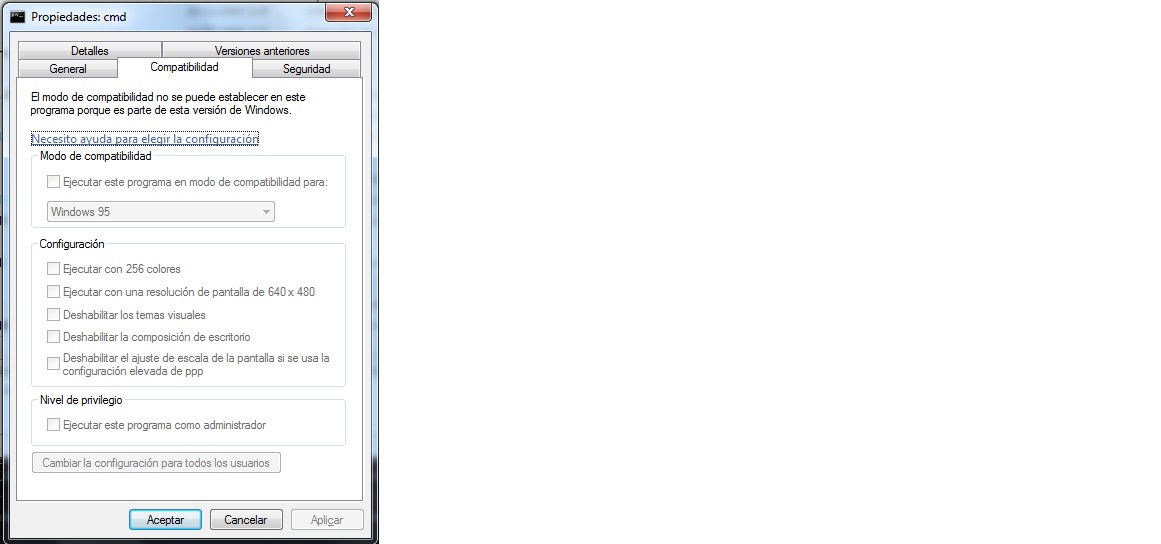
"this" is the Shim Database :)
Best regards, Alex Ionescu
On Tue, Mar 10, 2015 at 2:32 PM, Javier Agustìn Fernàndez Arroyo < elhoir@gmail.com> wrote:
what about using this? internally maybe its necesary to move kernel goal to Windows 7 or even 8.1, but this way it would be much harder to get ReactOS stable at last.....
On Tue, Mar 10, 2015 at 2:27 PM, David Quintana (gigaherz) < gigaherz@gmail.com> wrote:
SxS doesn't require links, it makes use of them to reduce the actual disk usage. The conversation was about how many people "hate" the WinSxS folder because when you look at the properties in explorer it shows a very large number of GB, but fail to realize this number is not accurate due to the large number of DLLs that are shared with System32. If we can't make use of hardlinks, we can just copy the actual files. The HDD space used will grow, but it's not like if our installation is 15gb... ;P
On 10 March 2015 at 13:41, Pierre Schweitzer pierre@reactos.org wrote:
I'm not sure you realize what you're praising.
Links & junctions are not supported on FAT, they require NTFS.
On 03/10/2015 12:37 PM, Huw Campbell wrote:
SxS uses hard links, not symlinks. Seems like the way to go too, as we're already hitting the boundary
with common controls and it's how windows does version compatibly.
Huw
-----Original Message----- From: "Ged Murphy" gedmurphy.maillists@gmail.com Sent: 10/03/2015 10:27 PM To: "'ReactOS Development List'" ros-dev@reactos.org Subject: Re: [ros-dev] ReactOS versioning
It might also be useful to employ some form of heuristics as UAC does.
Things like file name detection, string table detection, marked processes via user defined requests or a hash database, etc. Perhaps even scanning the imports (although this is harder to manage due to people using GetProcAddress to detect OS version)
-----Original Message----- From: Ros-dev [mailto:ros-dev-bounces@reactos.org] On Behalf Of Timo
Kreuzer
Sent: 07 March 2015 12:44 To: ReactOS Development List Subject: [ros-dev] ReactOS versioning
- We need a method to specify which application should be run in
which environment. We should probably use the same mechanism that is used on Windows. Compatibility information is stored in a registry key HKCU\Software\Microsodt\Windows NT\CurrentVersion\AppCompatFlags... The trick is to make this easy / transparent for the user. A right-click -> properties -> compatibility approach should for now probably be the easiest thing,
Ros-dev mailing list Ros-dev@reactos.org http://www.reactos.org/mailman/listinfo/ros-dev
Ros-dev mailing list Ros-dev@reactos.org http://www.reactos.org/mailman/listinfo/ros-dev
-- Pierre Schweitzer pierre@reactos.org System & Network Administrator Senior Kernel Developer ReactOS Deutschland e.V.
Ros-dev mailing list Ros-dev@reactos.org http://www.reactos.org/mailman/listinfo/ros-dev
Ros-dev mailing list Ros-dev@reactos.org http://www.reactos.org/mailman/listinfo/ros-dev
Ros-dev mailing list Ros-dev@reactos.org http://www.reactos.org/mailman/listinfo/ros-dev
+1 to the shim database then El 11/03/2015 21:34, "Alex Ionescu" ionucu@videotron.ca escribió:
"this" is the Shim Database :)
Best regards, Alex Ionescu
On Tue, Mar 10, 2015 at 2:32 PM, Javier Agustìn Fernàndez Arroyo < elhoir@gmail.com> wrote:
what about using this? internally maybe its necesary to move kernel goal to Windows 7 or even 8.1, but this way it would be much harder to get ReactOS stable at last.....
On Tue, Mar 10, 2015 at 2:27 PM, David Quintana (gigaherz) < gigaherz@gmail.com> wrote:
SxS doesn't require links, it makes use of them to reduce the actual disk usage. The conversation was about how many people "hate" the WinSxS folder because when you look at the properties in explorer it shows a very large number of GB, but fail to realize this number is not accurate due to the large number of DLLs that are shared with System32. If we can't make use of hardlinks, we can just copy the actual files. The HDD space used will grow, but it's not like if our installation is 15gb... ;P
On 10 March 2015 at 13:41, Pierre Schweitzer pierre@reactos.org wrote:
I'm not sure you realize what you're praising.
Links & junctions are not supported on FAT, they require NTFS.
On 03/10/2015 12:37 PM, Huw Campbell wrote:
SxS uses hard links, not symlinks. Seems like the way to go too, as we're already hitting the boundary
with common controls and it's how windows does version compatibly.
Huw
-----Original Message----- From: "Ged Murphy" gedmurphy.maillists@gmail.com Sent: 10/03/2015 10:27 PM To: "'ReactOS Development List'" ros-dev@reactos.org Subject: Re: [ros-dev] ReactOS versioning
It might also be useful to employ some form of heuristics as UAC
does. Things like file name detection, string table detection, marked processes via user defined requests or a hash database, etc. Perhaps even scanning the imports (although this is harder to manage due to people using GetProcAddress to detect OS version)
-----Original Message----- From: Ros-dev [mailto:ros-dev-bounces@reactos.org] On Behalf Of Timo
Kreuzer
Sent: 07 March 2015 12:44 To: ReactOS Development List Subject: [ros-dev] ReactOS versioning
- We need a method to specify which application should be run in
which environment. We should probably use the same mechanism that is used on Windows. Compatibility information is stored in a registry key HKCU\Software\Microsodt\Windows NT\CurrentVersion\AppCompatFlags... The trick is to make this easy / transparent for the user. A right-click -> properties -> compatibility approach should for now probably be the easiest thing,
Ros-dev mailing list Ros-dev@reactos.org http://www.reactos.org/mailman/listinfo/ros-dev
Ros-dev mailing list Ros-dev@reactos.org http://www.reactos.org/mailman/listinfo/ros-dev
-- Pierre Schweitzer pierre@reactos.org System & Network Administrator Senior Kernel Developer ReactOS Deutschland e.V.
Ros-dev mailing list Ros-dev@reactos.org http://www.reactos.org/mailman/listinfo/ros-dev
Ros-dev mailing list Ros-dev@reactos.org http://www.reactos.org/mailman/listinfo/ros-dev
Ros-dev mailing list Ros-dev@reactos.org http://www.reactos.org/mailman/listinfo/ros-dev
Ros-dev mailing list Ros-dev@reactos.org http://www.reactos.org/mailman/listinfo/ros-dev
-
 Aleksey Bragin
 -
 Alex Ionescu
 -
 Alexander Rechitskiy
 -
 Colin Finck
 -
 David Quintana (gigaherz)
 -
 Ged Murphy
 -
 Giannis Adamopoulos
 -
 Hermès BÉLUSCA - MAÏTO
 -
 Huw Campbell
 -
 Javier Agustìn Fernàndez Arroyo
 -
 Jerome Gardou
 -
 Magnus Johnsson
 -
 Pierre Schweitzer
 -
 Timo Kreuzer